Power Platform Automated Document Processing System
Standard AP software often creates more problems than it solves. That’s why a contracting company came to me. They needed a solution built around how they actually work—not something that forced them to adapt. We built a custom Power Platform solution that combined project management and accounts payable into one streamlined system. No outdated software. No juggling multiple websites. No extra licenses. Just a tool that matched their real-world processes.
Purchase Order Application
The custom Power Platform tool streamlines the full AP process—from quote to invoice approval—using Power Apps, Power Automate, AI Builder, SharePoint, and Dataverse. This section walks through how each part works together to reduce manual steps, improve accuracy, and align with real-world vendor and project workflows.
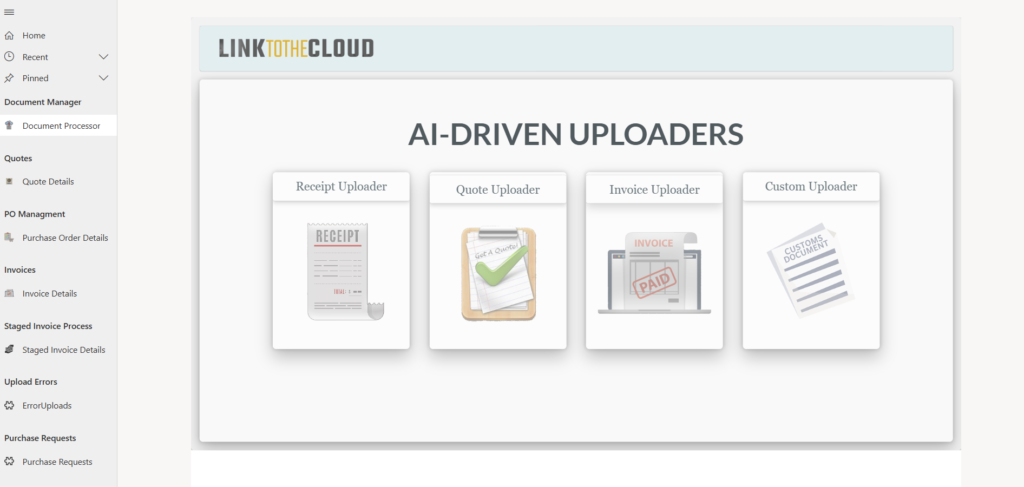
AI-Driven Document Uploaders
User-friendly interface for uploading Receipts, Quotes, Invoices, and Custom Documents, each processed with AI Builder for automated data extraction.
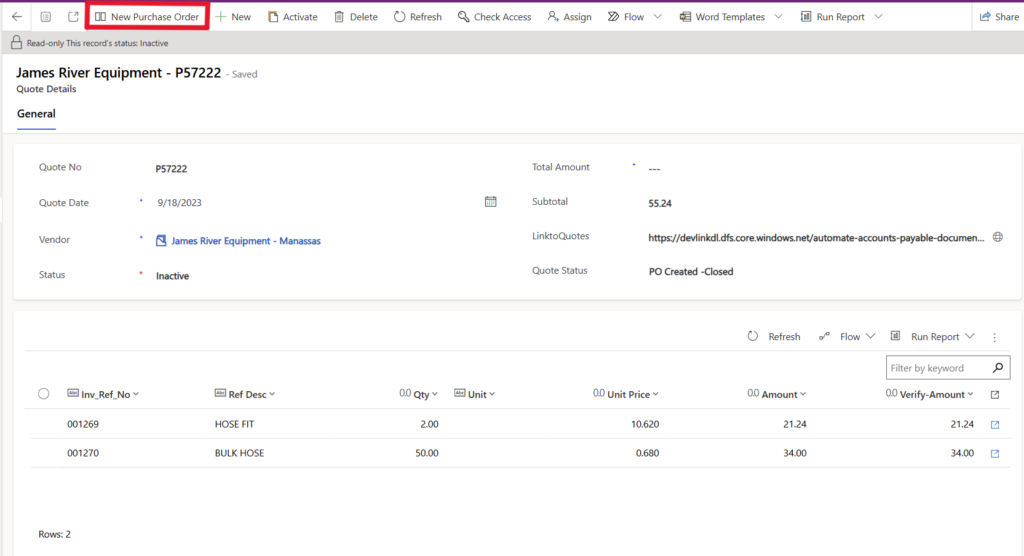
Quote Page – Custom Command to Create Purchase Order
Users can review AI-extracted Quote data and generate a Purchase Order directly from a custom command in the command bar.
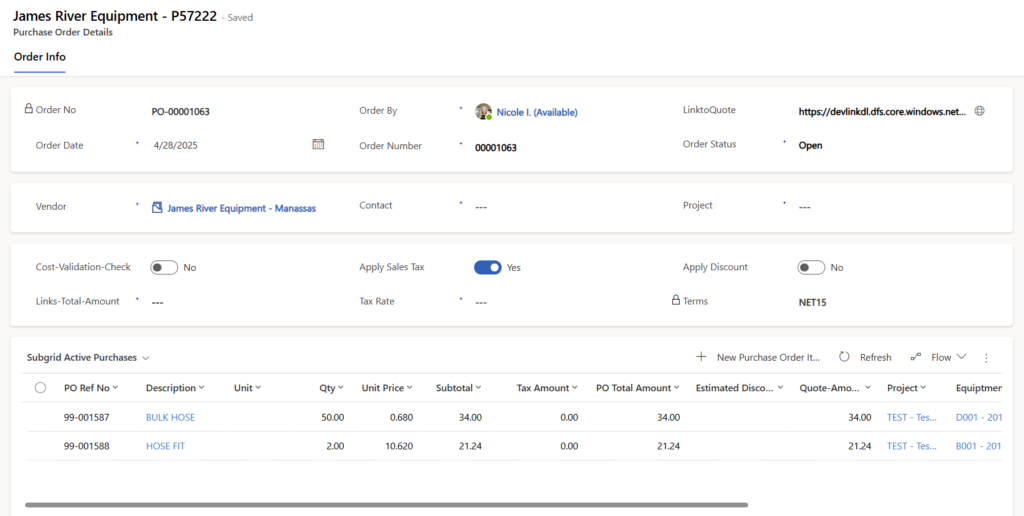
Purchase Order Page – Auto-Generated from Quote Data
Purchase Order automatically generated from Quote data, with tax configuration, vendor details, cost codes, equipment codes, and project references included. The form displays calculated totals and allows users to add additional line items directly for greater flexibility.
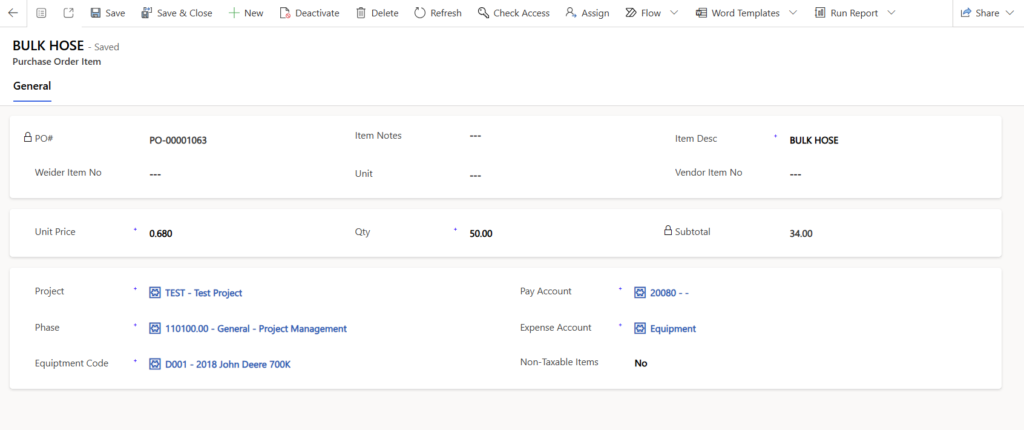
Purchase Order Line Item Details Page
Line item details can be updated here or directly within the editable grid on the Purchase Order Details page.
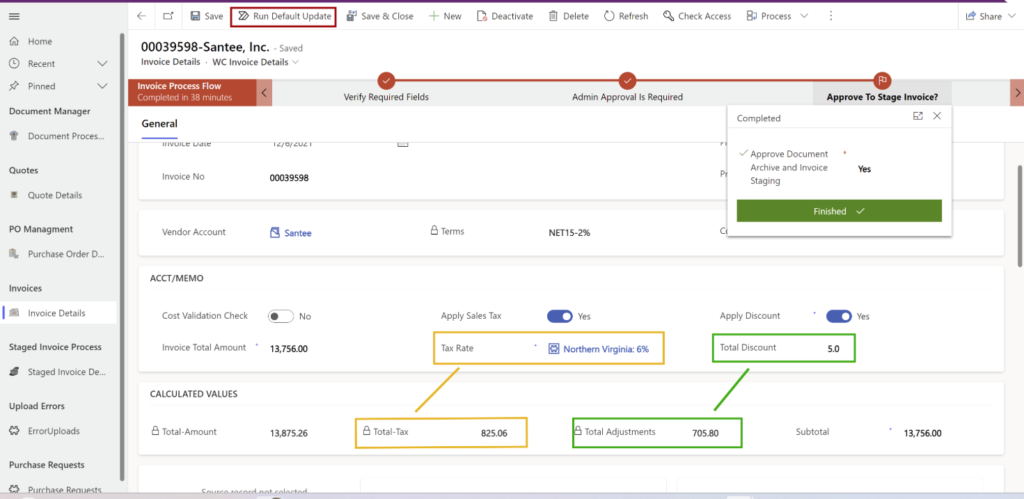
Invoice page automatically populated by cross-referencing the related Purchase Order with vendor invoices. A custom command validates invoice details and enforces approval workflows based on invoice totals. Discounts can be applied with real-time recalculations, while expense accounts, pay accounts, and phase code line items are auto-filled directly from the Purchase Order.
Staged Invoices – Export to Accounting System
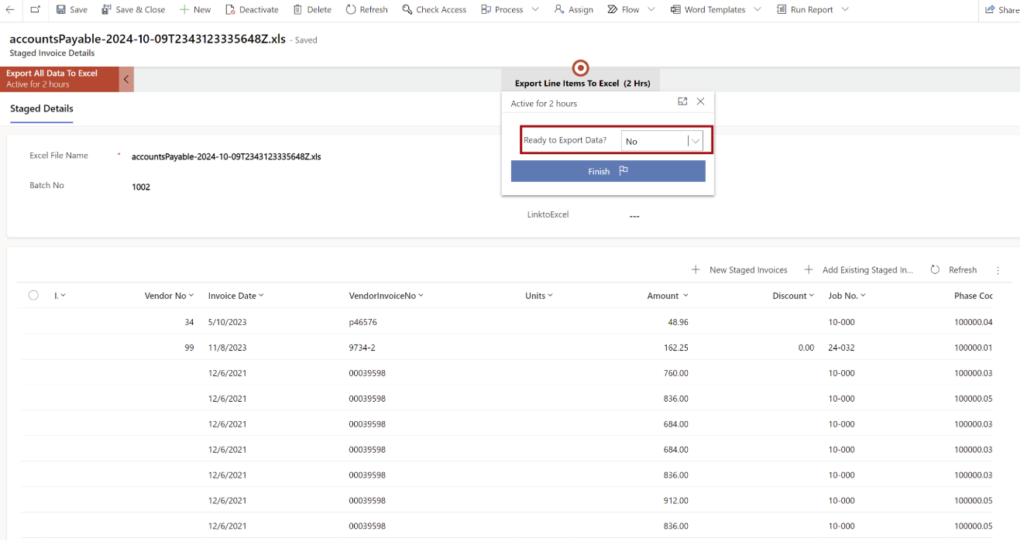
Once invoices are approved, all line items move into the staging area where Power Automate converts the data into the required formats for the external accounting system. Multiple invoices are consolidated into a single Excel file, avoiding redundancy, and the file is automatically saved to a SharePoint document library for easy upload.
Project and Account Management Application
This Project Management application, built in Power Apps (model-driven), was designed to work alongside the Purchasing Order Application. Each project stores related records including cost codes, vendors, contacts, purchase order line items, equipment, employees, and tickets. Updates made in the Purchasing Order App synced in real time with project data. Cost codes are sourced through custom connectors from Heavy Job for accurate, up-to-date financial tracking. Vendor-related data such as expense accounts are also stored and automatically updated within the invoice line items.
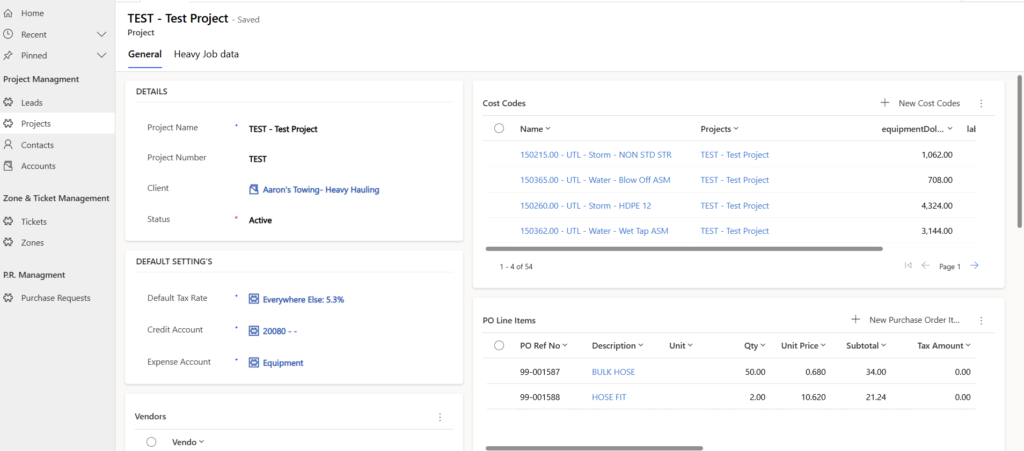
Project Details Page
This page gives a complete view of each project, including client information, cost codes, vendors, and purchase order line items. Default tax, credit, and expense accounts are built in, while Heavy Job data is integrated to keep budgets, costs, and approvals accurate and up to date.
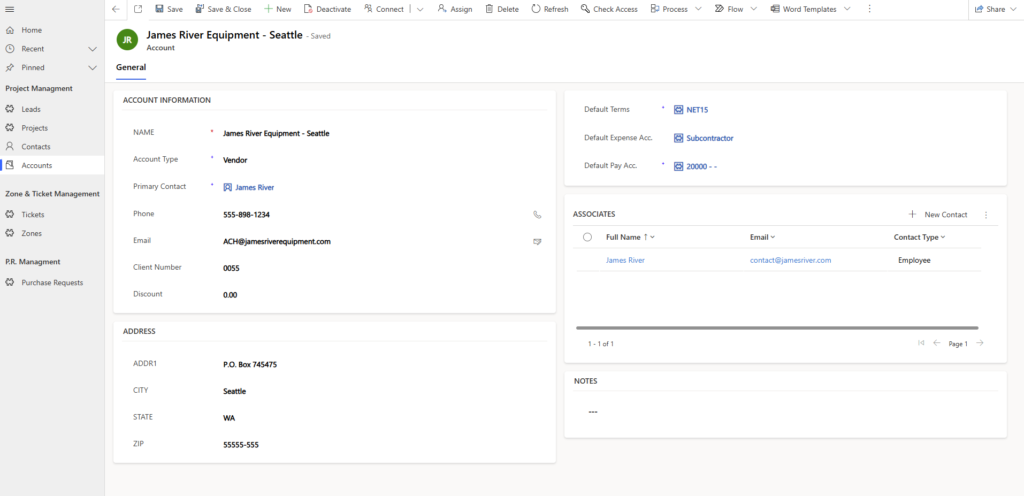
Vendor Details Page
Manage vendor records easily with integrated contact details, terms, and default accounts.
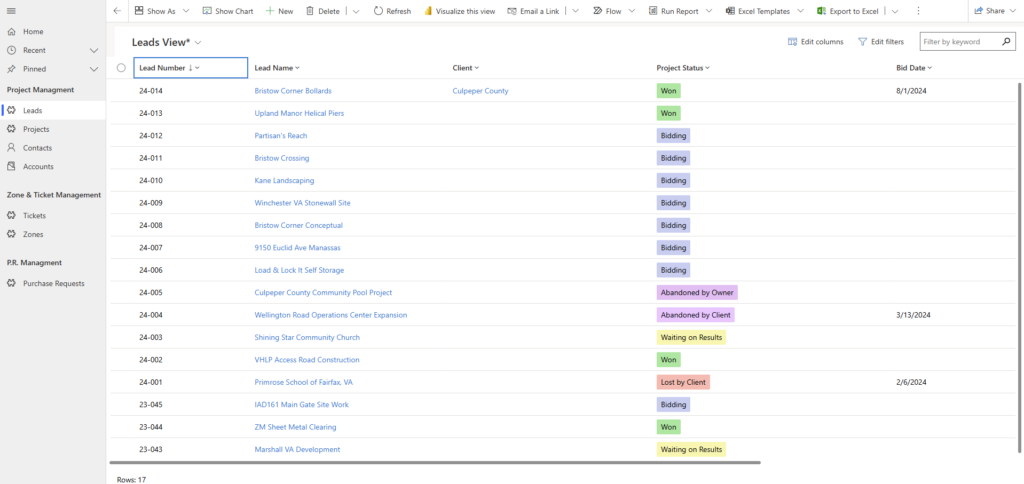
Lead Status View
SharePoint Document Library Data Storage
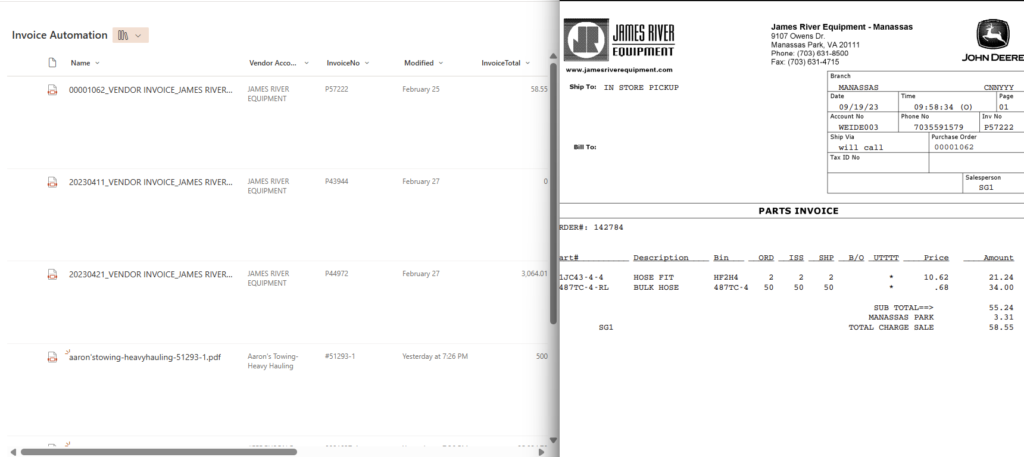
Automated Invoice Storage & Live Editing
Uploaded invoices are automatically stored in the document library and linked to vendor records. The live editing feature lets users review and update invoice details directly, reducing manual entry and keeping data consistent across the system.